

PitchLogix
A product demo that listensFor SaaS teams

Your product. Their questions. A better conversation.

Give prospects a guide who asks what matters to them, opens the screens that answer it, and helps them take the next step.

We'll only use it to tell you when early access opens. To be removed, write to privacy@pitchlogix.com.

Less explaining. More showing the part they came for. See the guide work

Inside the experience

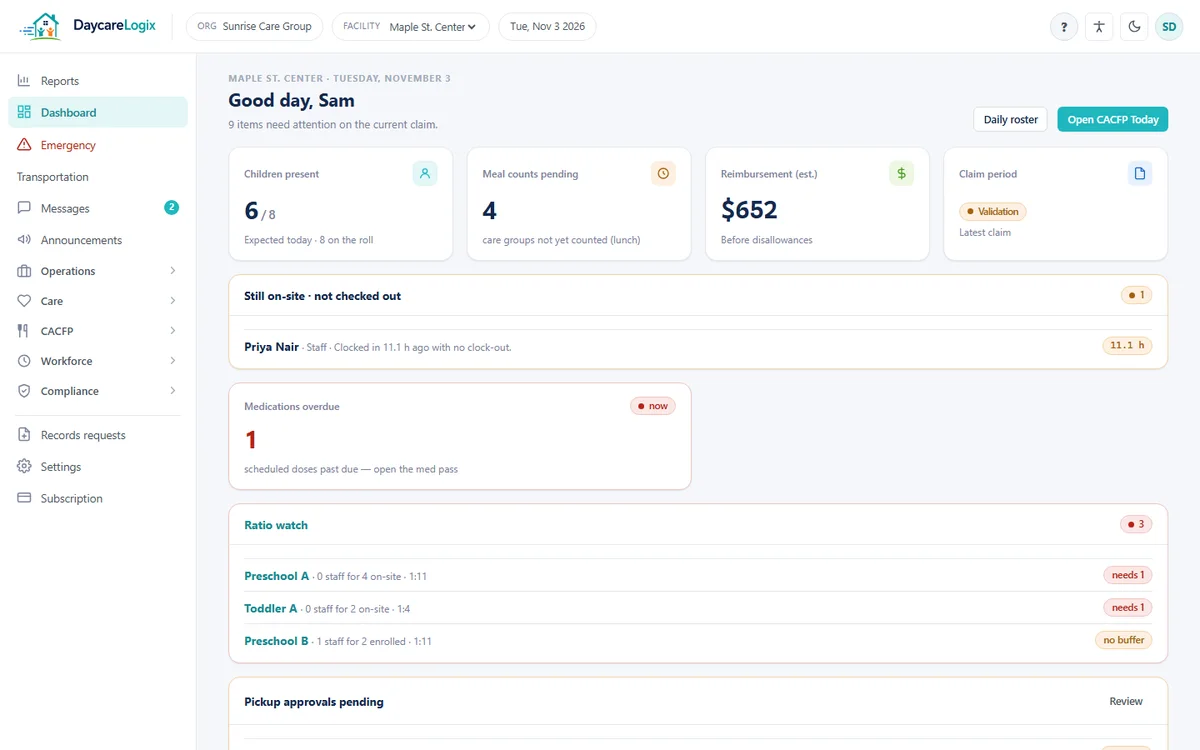
DaycareLogix
Sample conversation · made-up data
Your DaycareLogix guideGuided by AI
  1. Your guideWhat takes the most time in your week?
  2. The prospectChasing families for late tuition.
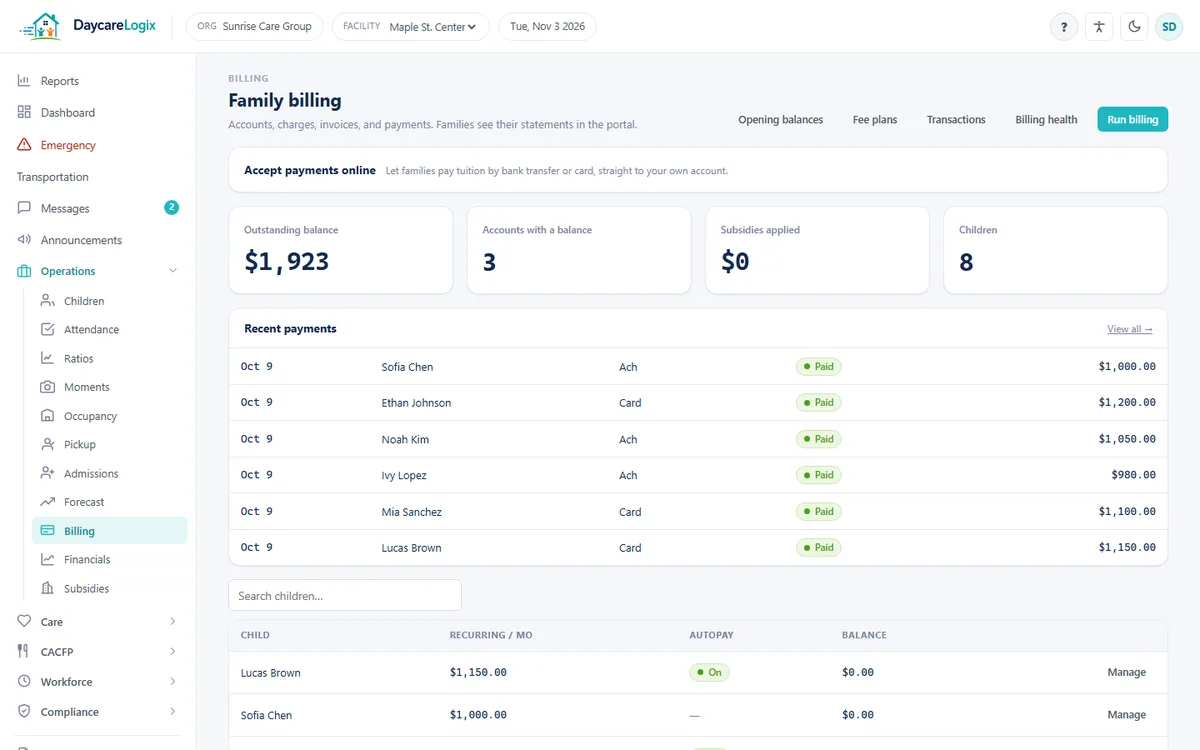
  3. Your guideLet me show you family billing. This is what is still owed, and which families have a balance.
Ready when you are
DaycareLogix family billing with made-up account data

Showing: Family billingCaptured product · source app stays untouched

Real product screens. Illustrative conversations.Scripted examples on real DaycareLogix captures, with made-up data. Pause or pick a different path.

We use it on our own products, DaycareLogix and TenantLogix.

Start with what they need to see.

Your prospect has a question in mind. PitchLogix gives them a way to ask it, and a guide who can show the answer in your product. The conversation shapes the demo, one relevant screen at a time.

How it works

A demo that follows the conversation. It listens, shows one thing, and asks what's next.

The same way a good first call goes.

  1. 01

    It asks before it shows

    Discovery questions from your sales team, with answers a prospect can tap or type.

  2. 02

    It opens the screen that answers

    It clicks through your app and points at the part that solves what they just said.

  3. 03

    Then it offers a next step

    Only after the prospect has named a problem and seen what solves it. At most twice. A “no” is remembered.

The guide

A guide that sells like your best person. It talks, it works your product, and it knows when to offer the next step.

  • It talks, and it listens.

    It speaks out loud by default; the speaker button turns it off. Prospects can talk back through the mic and cut in at any time. It stops, and answers from the screen they're on.

  • It speaks Spanish.

    Prospects can write or talk in Spanish. The guide answers in Spanish, out loud too, and the demo page, the booking page and the emails switch with them.

  • It works the product.

    It opens screens, points, types into fields, picks options, and opens pop-ups and tabs. Saving a captured form shows it done in the demo. Nothing is written to your app.

  • It meets them first.

    A short card asks for their email. Then your guide, with the name you give it (say, "Jackie"), says hello, asks their name, sums up your product and asks what takes their time.

  • It answers from your facts.

    Ask what 60 children would cost, and it works the total out from your published prices and shows the sum. A See pricing button opens your pricing page. It never makes up a price.

  • It never says “I don't know.”

    When your facts don't cover a question, it tells the prospect your team will follow up, and the question lands on the lead for you.

  • It never leaves them stuck.

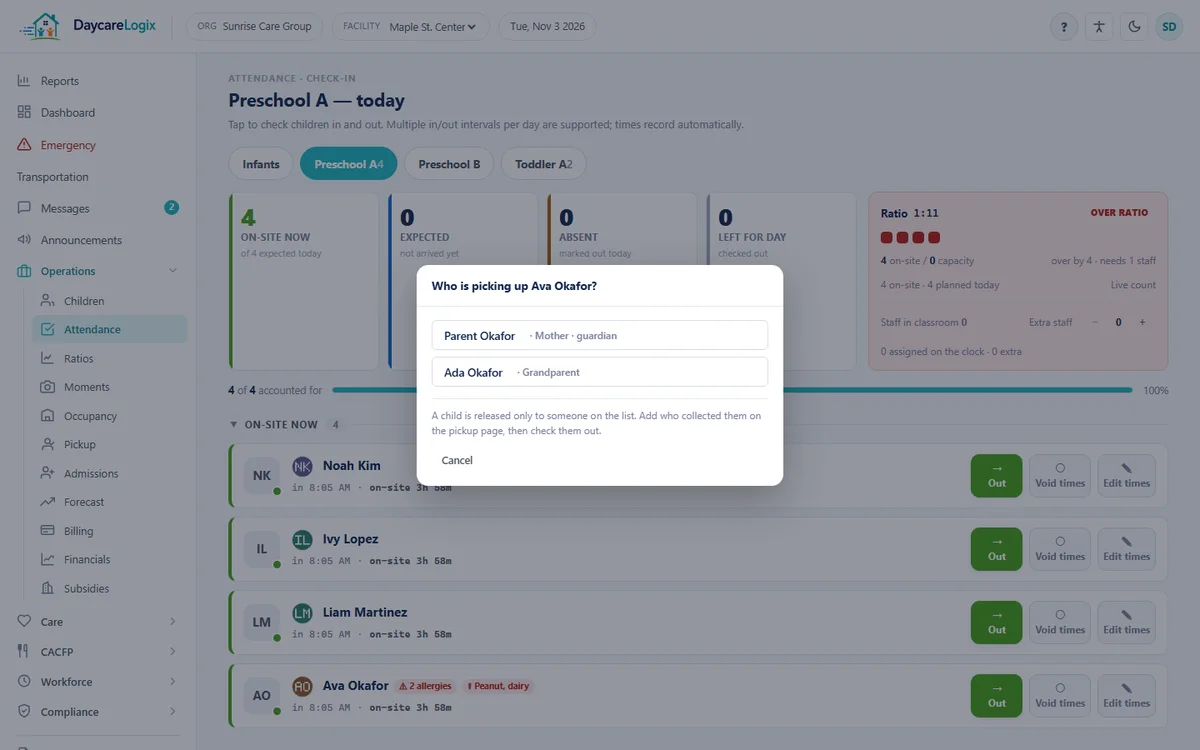
    Click something the demo doesn't have, and the guide notices and answers. Prospects can also explore on their own at any time.

  • It ends with a next step.

    Book time, start a free trial or leave an email. Built-in booking checks your calendar so it never offers a busy time, or it can use your own booking link. It never ends the demo on them.

An example in Spanish, with a made-up product.
An example price answer, with a made-up product.
From your app to their first impression

Your product. Your point of view. You decide what the guide can show, what it knows, and where the conversation can go next.

01The experience

Capture your app.

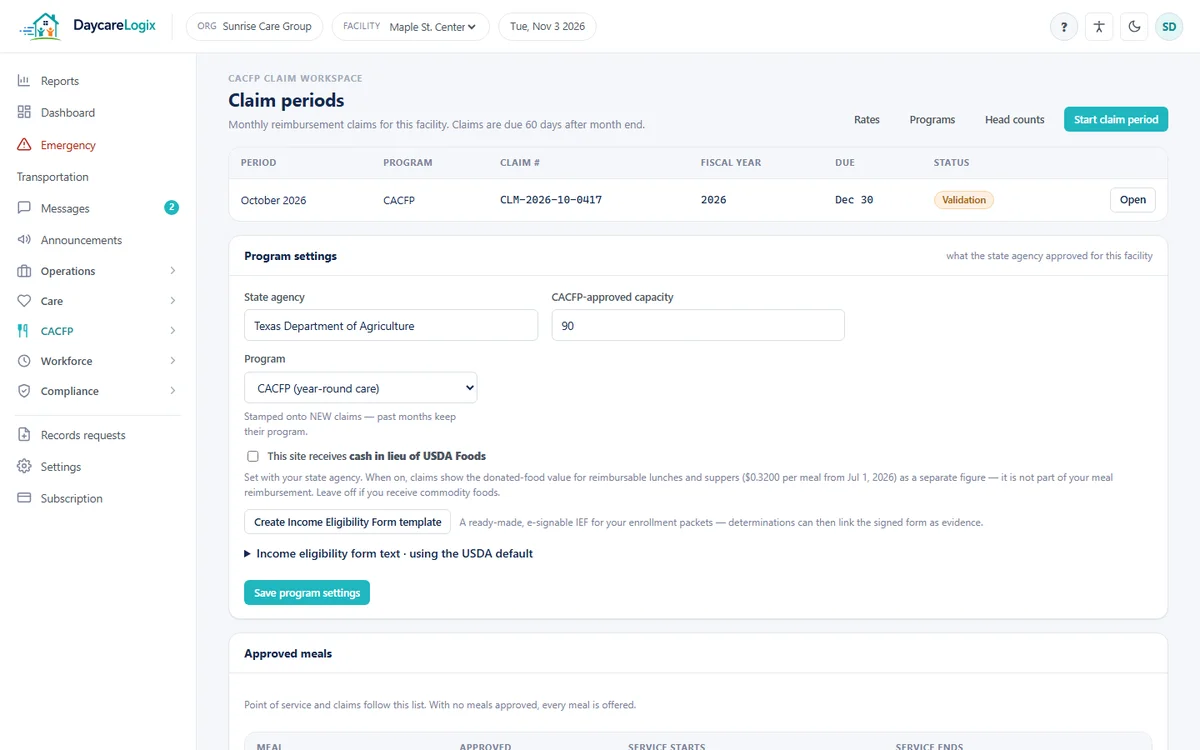
Build a captured version of your real product. Review its screens, dialogs and forms before sharing it with prospects.

  • It signs in to a demo account and saves the screens a prospect should see.
  • Emails, phone numbers and the names you list are swapped for made-up ones.
  • Someone on your team checks the screens before a capture goes live.
A captured environment
Your live application stays untouched.
02The conversation

Give the guide direction.

Add your product knowledge, customer goals and your sales team's questions. Rehearse the workflows and test the conversations.

  • Approve the product facts it finds on your website, one by one.
  • Set the pains it listens for, and the moment on screen that shows each one solved.
  • Give it a name, an opening message and your team's own directions.
  • Rehearse workflow by workflow, and test with scripted prospect conversations.
What do your prospects ask?
Let your team's experience lead.
03The next step

Put it in their hands.

Share a demo link or embed the experience on your site. Give prospects a clear path to leave their email, book time or start a trial.

  • A demo link on its own address, or the demo embedded on your site.
  • A link made for one company greets their contact by name.
  • Booking checks your calendar, or uses your own booking link.
  • Every lead lands in your console.
One link to the conversation
Ready for a prospect to explore.
Capture

Your real app, captured once.

PitchLogix signs in to a demo account of your app and saves the screens a prospect should see. The guide works that copy, and your live app is never touched.

  • It follows your app's own links. Turn it on, and it also opens tabs, New, Edit and View buttons, filters and menus.
  • It never presses Save, Delete, Send or Pay, and it blocks requests that would change your app's data. Capture with a demo account.
  • Emails and phone numbers, and the names you list, are swapped for made-up ones, the same way on every screen. Ids and keys are masked.
  • Every screen is checked for real emails, phone numbers and sign-in tokens. A capture that fails the check is not used.
  • Dates move to the prospect's day, so the demo always looks current.
  • Someone on your team checks the screens before a capture goes live. The two captures before the live one are kept, so you can go back.
Product knowledge

It learns your product.

It drafts what the guide should know from your website and your capture. You keep what's right.

From your website
It reads your site for product facts and answers to objections, and lists them for you to approve one by one.
From your capture
It drafts facts, the pains the guide should listen for, with the moment on screen that shows each one solved, and the questions it opens with.
From your prospects
Questions the guide couldn't answer show up for you. Answer once, and follow up with everyone who asked.
An example, with made-up DaycareLogix facts.
Guide Studio

Rehearse before you publish.

Shape who the guide is and how it sells. Your edits wait in a draft until you've tried them.

Who it is
Its name, its opening message, its conversation style and your team's own directions.
How it sells
Whether it asks their name and sums up your product first, how many moments it shows before offering a next step, whether it asks how often or how many, and how long its replies are.
Try it first
Check the draft against your capture, rehearse it workflow by workflow, and test it with scripted prospect conversations before you publish.
Change your mind
Earlier versions can be restored.

Product facts you approve don't wait for a publish: they go live at once.

Example settings for a made-up guide.
Coding agents

Built for coding agents.

Your coding agent can test your guide. Through the PitchLogix MCP server it plays a prospect against your guide, suggests guide tests, and adds a screen the capture missed. A person approves every change before it goes live.

After the demo

Pick up where the conversation left off. See what a prospect cared about, in their own words.

Review the screens they saw, the questions the guide couldn't answer, and the next step they took.

One recap email per demo, with a private link to pick up where they left off for 30 days.

Your console · Example leads
Conversation notesLeft an email

Dana Ortiz

Sunrise Care Group · example prospect

In their own words
“Chasing families for late tuition eats my Fridays.”
What they explored

Family billing Outstanding balances Recent payments

Couldn't answer, to follow up

“Do you support sibling discounts?”

Illustrative notes with made-up details. No customer results are implied.

Every conversation, in one place.

Each demo stays in your console, with what you need to follow up.

  • A replay of every demo. See how each conversation went, and the screens it opened.
  • A follow-up, already drafted. An email written from the conversation, for you to check and send from the console.
  • Emails in your name. Recaps, follow-ups and booking emails go out under your name, and replies come straight to your team.
  • New leads, where you work. By email, in Slack, through your own webhook to a CRM, Zapier or Make, or in HubSpot.
  • Daily and weekly summaries. What happened in your demos, each day and each week.
  • Quality. See how well your demos go.
  • Your team, your roles. Owners, editors and viewers, each seeing only your workspace, with two-step sign-in through an authenticator app.
Trust and privacy

Honest with every prospect.

  • Each demo says it's guided by AI and recorded, before the prospect types. They can choose "Don't keep this demo".
  • The guide answers from your facts, never quotes prices beyond them, and says it's an AI if asked.
  • Demo pages never share an address or cookies with your console.
  • Keep demos and leads for a set time.
  • Export or delete a person's data when they ask.
Good questions

A little clarity before you begin.

The experience should make sense to your team, and to the people using it.

The prospect explores a captured version of your application. Demo actions, including a form's Save, show the result without writing to your app. Use made-up account data for capture, and review every screen before publishing.

Let's show what matters

Make the first conversation worth having.

We're opening PitchLogix to its first SaaS teams. Join early access to hear when a spot is ready.

We'll only use it to tell you when early access opens. To be removed, write to privacy@pitchlogix.com.

A useful introduction. At your prospect's pace.